That shift matters more than it might seem. The right scheduling platform doesn't just look modern, it eliminates double bookings, automates the admin work eating into your day, and directly protects your cash flow. The wrong one creates gaps between what customers expect and what your staff can deliver.
This guide covers both worlds: general-purpose meeting schedulers built for one-on-one bookings, and specialized systems for niche, recurring-schedule businesses like sports facilities, swim schools, and instructor-led programs. Not every tool fits every business, and that distinction drives most of what follows.
Key Takeaways
- Real-time calendar syncing and automated conflict checks eliminate double bookings
- Meeting tools like Calendly suit one-on-one bookings, not classes or facility scheduling
- Pricing ranges from free to $50+ monthly, billed by seats, users, or locations
- Classes, memberships, and facility rentals require configurability basic tools lack
- Automated reminders cut no-show rates, supported by research on appointment attendance
Overview of Online Scheduling Software in 2026
Online scheduling software lets clients book, reschedule, or cancel appointments through a dedicated portal, while the business manages availability, staff, and resources behind the scenes. A basic digital calendar just displays events; scheduling software actively manages the entire booking workflow.
That workflow typically includes:
- Applies availability rules to block staff time automatically
- Sends automated reminders and notifications for upcoming appointments
- Enables self-service cancellations and rescheduling
- Processes payments at the time of booking
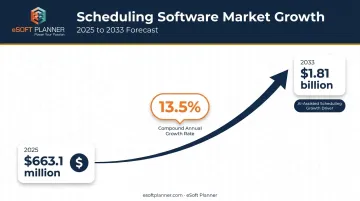
The category is growing fast. Grand View Research values the scheduling-apps market at $663.1 million in 2025, projecting growth to $1.81 billion by 2033 at a 13.5% compound annual growth rate. AI-assisted scheduling is fueling that growth, as self-service booking becomes the default expectation rather than a nice-to-have feature.
Here's where it gets more interesting for certain business types. Plenty of tools handle simple meeting bookings well. But businesses running recurring classes, memberships, or instructor-based schedules (think sports facilities, swim clubs, or music schools) need something built for that complexity. That's the split this list is organized around.
Best Online Scheduling Software in 2026
We evaluated each tool on ease of use, calendar and payment integrations, automation depth, scalability, and fit for specific business models. Some tools shine for simple meeting bookings. Others are built for recurring classes and facility management. Both categories matter, depending on what you run.
eSoft Planner
eSoft Planner is the flagship product of PPC Communications, a family-owned company founded in 2008 in Cincinnati, Ohio. Industry veterans built it after running their own sports training facility and growing tired of forcing spreadsheets and generic calendars into a job those tools were never designed for.
Today, the platform serves sports academies, swim clubs, music schools, gun ranges, and municipalities across the country.
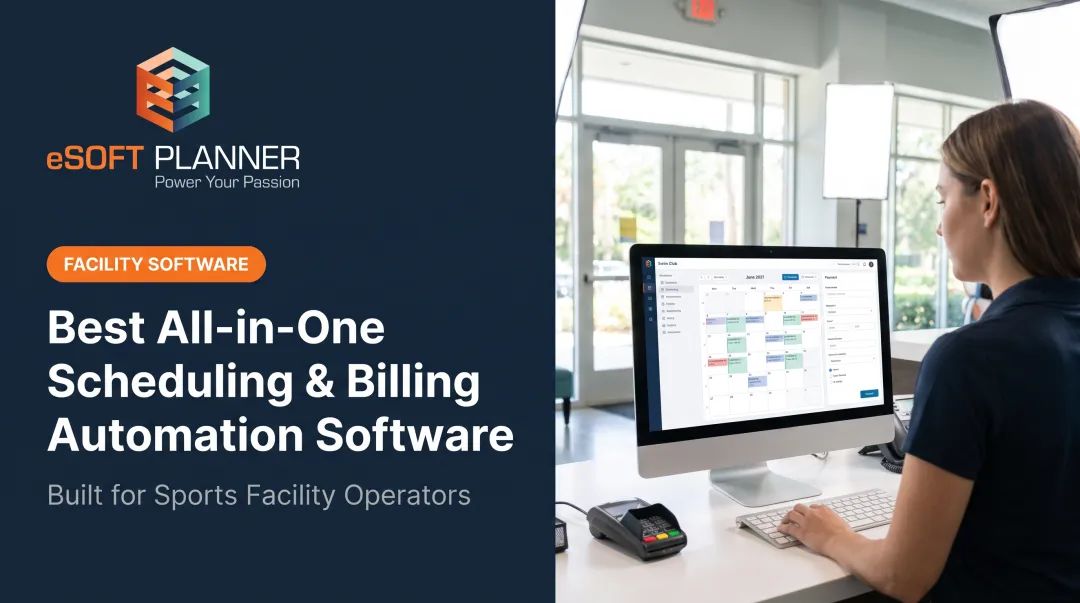
What sets it apart is purpose-built design for scheduled and instructor-based businesses. Instead of a meeting link, you get real-time online booking for classes, facility rentals, and instructor sessions, backed by unlimited, consultative U.S.-based support.
There's no long-term contract. Pricing runs à-la-carte, so you pay only for the modules you need rather than a flat per-user fee that climbs as your roster grows.
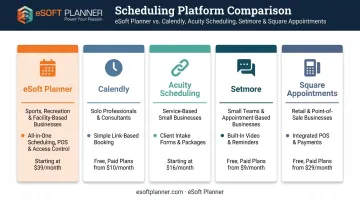
| Category | Details |
|---|---|
| Best For | Sports facilities, swim schools, dance and music studios, gun ranges, and other recurring class or facility-based businesses |
| Key Features | Real-time online booking, automated email and text reminders, staff and facility scheduling, personal customer success manager |
| Pricing | Starts at $39/month with modular, à-la-carte pricing and no long-term contracts |
The platform's real-time, web-based architecture is what keeps two clients from booking the same court or lesson slot at once. Every reservation updates instantly across the system, so staff aren't stuck manually cross-checking a schedule to catch conflicts.
Calendly
Calendly is the category-standard meeting scheduler. Freelancers, sales teams, and consultants use it because sharing a booking link is faster than five emails trying to agree on a time.
It stands out for polished UX, broad calendar integrations, and routing or CRM features on paid tiers. On Capterra's 2026 Appointment Scheduling Shortlist, Calendly scored 97 out of 100, reflecting both strong user ratings and category popularity.
| Category | Details |
|---|---|
| Best For | One-on-one meeting scheduling and sales or consultation bookings |
| Key Features | Calendar sync, automated reminders, buffer times, payment support via Stripe and PayPal |
| Pricing | Free for one booking link; paid plans start around $10/seat/month billed annually |
Calendly's free plan connects one calendar and supports unlimited meetings on a single event type. Paid tiers unlock routing forms, HubSpot and Salesforce connections, and up to six connected calendars, useful once your booking needs get more complex than a single link.
Acuity Scheduling
Acuity, owned by Squarespace, is a go-to for service businesses managing several offering types at once, think salons, coaches, and consultants juggling different session lengths and prices.
It stands out for flexible service and package options, custom intake forms, and scheduling pages available in a dozen languages. Payment support runs through Stripe, Square, or PayPal.
| Category | Details |
|---|---|
| Best For | Salons, coaches, and consultants managing varied service types |
| Key Features | Multi-staff calendars, automated email/SMS reminders, intake forms, package and membership support |
| Pricing | No permanent free plan (7-day trial only); paid plans start at $16/month billed annually |
Calendar capacity scales by tier, from one calendar on Starter up to 36 on Premium. That structure works well if you're adding staff gradually, less so if you need dozens of calendars from day one.
Setmore
Setmore is the most generous free option on this list. Small teams needing basic multi-staff booking without a monthly bill will find it hard to beat.
The free plan supports up to four staff logins and 200 monthly appointments, plus Zoom and Google Meet integration for video bookings. It also offers desktop apps for Windows and macOS.
| Category | Details |
|---|---|
| Best For | Small teams and solopreneurs wanting a robust free plan |
| Key Features | Multi-staff calendars, video meeting support, online payments via Square, Stripe, or PayPal |
| Pricing | Free for up to 4 staff logins; Pro starts at $5/user/month billed annually |
One caveat: Stripe and PayPal require the paid Pro tier, while Square payment processing is available even on the free plan. Worth checking before you commit to a payment processor.
Square Appointments
Square Appointments bundles booking directly with point-of-sale and payment processing, which makes sense if you're already running Square for retail or checkout.
It stands out by combining scheduling with Square's broader payment ecosystem. Cards on file and prepayment requirements help reduce cancellations before they happen.
| Category | Details |
|---|---|
| Best For | Retail, salon, and wellness businesses already using Square for payments |
| Key Features | Integrated POS, automated text and email reminders, cancellation fee support up to 14 days after the appointment |
| Pricing | Free for solo professionals; Plus starts at $49/month per location |
Note that Square prices per location rather than per staff member, with unlimited staff calendars included even on paid plans. That's a meaningfully different billing structure than most competitors on this list.
How We Chose the Best Online Scheduling Software
We looked at integration depth, automation quality, customer support responsiveness, pricing transparency, and how well each tool fits specific business types. The most common mistake we see: businesses pick a generic meeting-link tool, then discover months later it can't handle recurring classes, multi-instructor scheduling, or facility-based bookings.
These factors aren't just checkboxes. They tie directly to outcomes that affect your bottom line:
- Reduced no-shows: A review of 29 studies on appointment reminders found automated reminders cut non-attendance by 34% on average
- Staff hours saved: Automated confirmations and rescheduling remove repetitive manual tasks from front-desk workflows
- Improved cash flow: Deposits, card-on-file requirements, and cancellation policies reduce revenue lost to last-minute no-shows
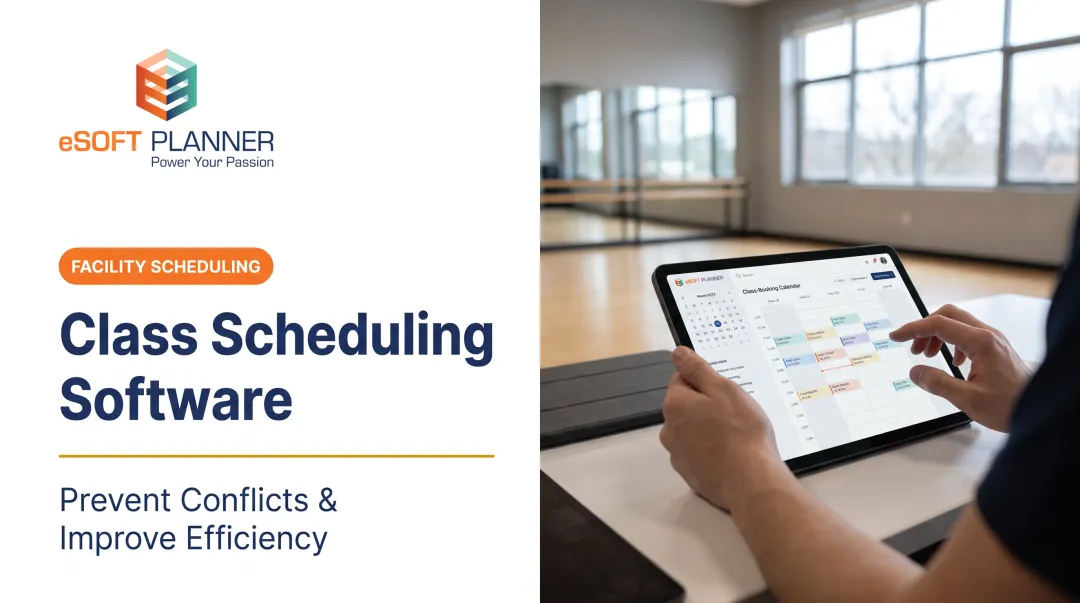
Class-based and facility businesses need that configurability most. Waitlists, family accounts, and membership billing aren't features most general schedulers were built to handle well.
Conclusion
There's no single "best" scheduling software. A solo consultant booking one client at a time has completely different needs than a swim school juggling multiple instructors, pools, and family memberships.
Before committing, evaluate scalability, support quality, and total cost of ownership, not just the sticker price on a pricing page. A cheap tool that can't grow with your business ends up costing more in workarounds and lost time.
Keeping those factors in mind, if you're running a sports facility, swim club, music school, or similar scheduled, instructor-based operation, eSoft Planner deserves a look. Industry veterans who ran a facility themselves built it, with flexible, no-contract pricing designed around how these businesses actually operate.
Frequently Asked Questions
What is the most used scheduling software?
Calendly is among the most widely used general meeting schedulers, thanks to its simplicity and broad integrations. For sports facilities and class-based businesses, industry-specific tools like eSoft Planner tend to fit their needs better.
What is online scheduling software and how does it work?
It's software that syncs with your calendar and lets clients book, reschedule, or cancel appointments themselves. The system blocks unavailable time slots automatically, so bookings only happen when a real opening exists.
How much does online scheduling software typically cost?
Free plans are common for basic use, with paid plans typically ranging from $5 to $50+ per month depending on features and billing structure. Some providers charge per user, others per location or account.
Can scheduling software really eliminate double bookings?
Yes. Real-time calendar syncing checks connected calendars for existing bookings and removes conflicting slots from what clients can select. This only works fully if every relevant calendar is connected and selected in your settings.
What features matter most for sports facilities or class-based businesses choosing scheduling software?
These businesses need multi-staff and multi-facility scheduling, recurring class booking, and deep configurability. That's a different set of requirements than what simple one-on-one meeting schedulers were designed to solve.
Is there scheduling software with no long-term contracts?
Yes. Several providers, including eSoft Planner, offer flexible pricing without requiring long-term contracts, letting businesses scale their subscription as their needs change.