The right platform pulls maintenance, assets, and vendor coordination into one system. That means fewer surprise breakdowns, faster technician response, and tighter control over spend across every location.
This guide compares the top-rated facility management platforms for 2026, so you can match features to your organization's size, industry, and existing tech stack.
Key Takeaways
- One platform should centralize work orders, preventive maintenance, and asset tracking
- Mobile access with offline functionality is now a baseline expectation, not a premium add-on
- Expect per-user SaaS pricing or flat annual licenses—model total cost before you buy
- Match the platform to your size, industry, and stack (ERP, Microsoft 365, IoT)
- Scheduling-driven businesses like sports facilities need different tools than CMMS platforms
Overview of Facility Management Software in 2026
Facility teams still juggle work orders, preventive maintenance, asset tracking, space planning, and vendor management across spreadsheets, inboxes, and disconnected tools. Facility management software puts those workflows in one shared system so buildings and campuses run from a single source of truth.
The global facility management software market is projected to hit $2.98 billion in 2026, up from $2.65 billion in 2025, according to Mordor Intelligence. Rising operating costs, stricter compliance rules, and multi-site coordination are fueling that growth.
AI adoption is accelerating too. JLL's 2025 State of Facilities Management Report found that 28% of organizations have embedded AI into FM operations, a figure that jumps to 46% among organizations with more than 100,000 employees.
Below, we compare leading platforms for 2026 on feature depth, pricing, and verified user ratings.
Top Facility Management Software Platforms for 2026
We evaluated each platform on five factors: feature depth (work orders, preventive maintenance, assets), scalability, mobile access, integrations, and verified user ratings from G2 and Capterra.

ServiceChannel
ServiceChannel is built for multi-site enterprises that outsource maintenance to third-party providers. Its provider marketplace sources vendors based on quality, speed, and cost data, while machine-learning routing directs work orders to the right technician based on trade, location, and asset criticality.
Standout strengths include vendor scorecards, marketplace sourcing, and cost-control guardrails that flag invoice discrepancies before they're paid.
| Spec | Details |
|---|---|
| Best for | Multi-site enterprises needing vendor and provider coordination |
| Key features | Work order automation, vendor marketplace, analytics dashboards |
| Pricing / ratings | Custom enterprise pricing — G2 4.2/5 (151 reviews); Capterra 4.5/5 (154 reviews) |
MaintainX
MaintainX is a mobile-first CMMS built for fast onboarding across industries. Technicians can update work orders offline, with changes syncing automatically once connectivity returns.
Its AI-generated time estimates use historical work-order data to predict how long a job should take, helping managers plan labor more accurately.
| Spec | Details |
|---|---|
| Best for | SMBs wanting a simple, mobile-first CMMS |
| Key features | Work order templates, real-time chat, photo attachments |
| Pricing / ratings | Free Basic tier; paid plans scale per user — G2 4.8/5 (1,558 reviews); Capterra 4.8/5 (1,060 reviews) |
LimbleCMMS
Limble wins teams over with fast implementation and a shallow learning curve, from small shops to enterprise operations. Its AI can scan asset manuals and generate preventive maintenance tasks in minutes, which users then review before publishing.
The inventory module links parts directly to vendors and triggers purchase orders when stock falls below a set threshold.
| Spec | Details |
|---|---|
| Best for | Teams prioritizing a quick learning curve and integration |
| Key features | PM triggers, inventory module, responsive support |
| Pricing / ratings | Tiered per-user plans (Standard, Premium+, Enterprise) — G2 4.8/5 (690 reviews); Capterra 4.8/5 (757 reviews) |

FMX (Facilities Management eXpress)
FMX is built specifically for K-12, higher education, and municipal government facility teams. Its calendar-based scheduling handles daily, weekly, monthly, and yearly events alongside maintenance requests.
The platform lets organizations submit, prioritize, and assign work requests across departments, which works well when facilities, IT, and transportation teams all share one system.
| Spec | Details |
|---|---|
| Best for | Education and public sector organizations |
| Key features | Work order routing, capital planning, facility scheduling |
| Pricing / ratings | Custom quote based on active users — Capterra 4.7/5 (421 reviews) |
Brightly Asset Essentials
Brightly Asset Essentials is a frequent pick for large campuses and public institutions that need IoT-enabled equipment monitoring. Remote sensors feed real-time data into the system, automatically generating corrective work orders before equipment fails.
GIS-based visual asset mapping lets facility teams see exactly where assets sit across a campus or municipal footprint, paired with long-range capital planning tools.
| Spec | Details |
|---|---|
| Best for | Large campuses needing IoT and capital planning |
| Key features | Remote monitoring, GIS mapping, capital planning |
| Pricing / ratings | Tiered pricing with add-on modules — G2 4.2/5 (240 reviews); Capterra 4.4/5 (284 reviews) |

How We Chose the Best Facility Management Software
Buyers make a predictable mistake: they focus on subscription price and skip implementation risk entirely. That's expensive.
A 2026 Capterra survey of 3,385 decision-makers across 11 countries found only 34% achieved a smooth buying and implementation process. Among regretful buyers, 89% hit an unexpected implementation disruption first.
We weighted our comparison around five factors tied directly to operational outcomes:
- Feature depth – Does it handle work orders, preventive maintenance (PM), and assets without workarounds?
- Ease of use – Will technicians actually adopt it, or will it sit unused?
- Scalability – Can it grow from one site to fifty without a platform switch?
- Mobile capability – Does it work offline, in a basement, or with no signal?
- Verified ratings – What do real users report after implementation, not just during the sales demo?
Successful adopters in that same Capterra survey were far more disciplined upfront: 62% defined budget and must-have features early, versus 48% of buyers who ended up disappointed. We used that bar when scoring each platform—clear capabilities, realistic rollout path, and proof from users who already live with the software.
A Note for Scheduling-Driven Facilities: Activity-Based Businesses Have Different Needs
Here's where a lot of operators get steered wrong. Traditional CMMS and FM platforms above are built for maintenance and asset-heavy operations — think HVAC systems, elevators, and equipment lifecycles.
If your core business is scheduling instructors, classes, or court and field time, that's a different problem entirely.
Sports academies, swim clubs, dance studios, gun ranges, and similar activity-based facilities need scheduling-first software, not work-order-centric CMMS tools. A basketball facility doesn't need GIS asset mapping. It needs to stop double-booking Court 3 on a Saturday afternoon.
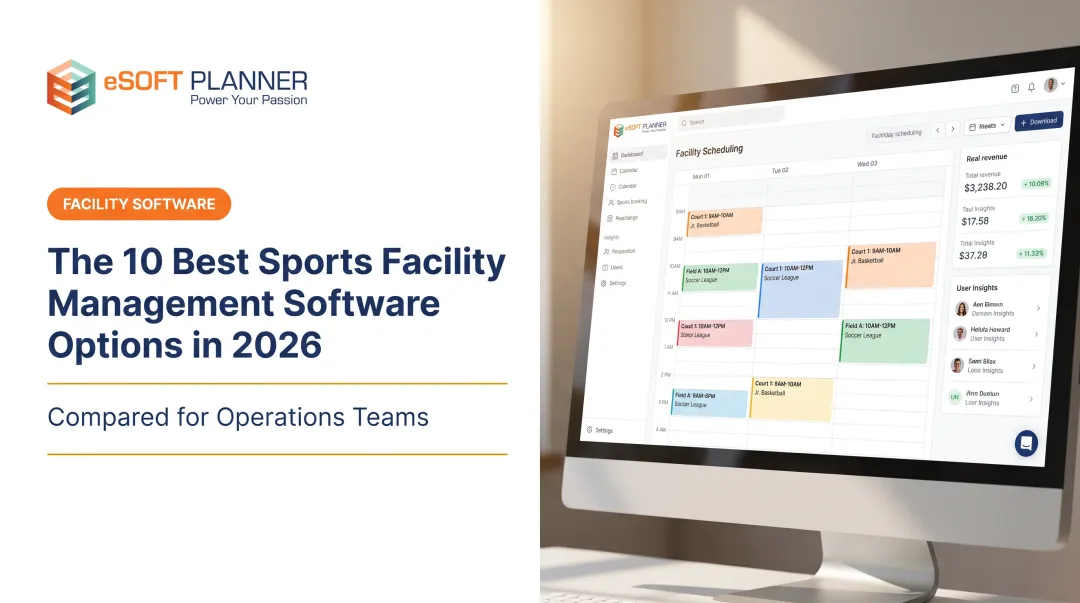
eSoft Planner was built for that problem. Industry veterans who ran their own sports training facility created it after they couldn't find a tool that handled scheduling, enrollment, and billing. Spreadsheets and generic calendars were doing more than they were designed for.
The platform covers:
- Real-time online booking – clients reserve courts, fields, lessons, or classes; availability updates instantly
- Automated admin tasks – enrollment, billing, payments, confirmations, and reminders without manual chase-down
- Flat, modular pricing – from $39/month, with costs that don't rise as you add customers or staff
That last point matters. A CMMS platform charging per user gets expensive fast as your instructor roster grows. eSoft Planner's a-la-carte model means you pay only for the modules you use—rentals, memberships, camps, or POS.

Conclusion
There's no single "best" facility management platform for 2026. The right choice depends on matching capabilities to your actual operational goals, not chasing brand recognition.
Before committing, evaluate:
- Scalability – Will this still work at double your current site count?
- Integrations – Does it connect with your existing ERP, M365, or IoT sensors?
- Total cost of ownership – Have you factored in implementation, training, and per-user fees—not just sticker price?
If your operation runs on maintenance and assets, the CMMS platforms above are strong starting points. But if you're running a schedule-based business — sports facility, swim club, dance studio — you need a different toolkit entirely.
eSoft Planner offers a consultative, no-contract approach built for schedule-based operators. A personal customer success manager guides your setup from day one. Explore eSoft Planner to see if it fits how you actually run your facility.
Frequently Asked Questions
What is EZFacility software used for?
EZFacility manages sports and fitness facility operations, including rentals, memberships, check-ins, and point-of-sale. It's not designed for building maintenance or CMMS-style asset tracking.
What is the difference between facility management software and CMMS?
CMMS focuses specifically on maintenance work orders, preventive maintenance, and equipment assets. Broader FM software often adds space planning, compliance tracking, and vendor management on top of that.
How much does facility management software typically cost?
Pricing ranges from per-user monthly SaaS fees to flat annual licenses, depending on the platform and your organization's size. Enterprise platforms like ServiceChannel typically use custom quotes.
Can small businesses benefit from facility management software?
Yes. SMBs see reduced downtime, better compliance tracking, and lower administrative overhead, often with free or low-cost entry tiers like MaintainX's Basic plan.
Is facility management software different from scheduling software for activity-based businesses?
Yes. CMMS and FM tools manage maintenance and physical assets, while booking-and-scheduling platforms like eSoft Planner handle instructor, class, and facility-time reservations for sports, fitness, and creative businesses.
What features should I prioritize when choosing facility management software in 2026?
Prioritize mobile access with offline functionality, integrations with your existing tech stack, and reporting depth. These three factors most directly affect day-to-day adoption and long-term ROI.