This is peak changeover hour at most gymnastics facilities, and it's chaos by design when everything runs on paper sign-in sheets, sticky notes, and a front desk staffer trying to do five jobs at once.
The common pain points are predictable: double bookings, manual data entry errors, missed payments, and staff who burn out fast. Automating these front desk tasks with gymnastics management software doesn't just reduce headaches. It frees your team to actually greet families and coach kids instead of drowning in admin work.
Key Takeaways
- Automation reduces manual errors like double bookings and missed recurring payments
- Self-service check-ins and online booking cut wait times during peak hours
- Billing reminders improve cash flow without adding staff hours
- Gymnastics-specific software stays flexible and scales as enrollment grows
Why Gymnastics Front Desks Struggle Without Automation
Gymnastics scheduling is uniquely messy. You're not just booking one class type. You've got rotating rosters across bars, beam, floor, and trampoline, layered on top of recreational classes, competitive team practices, and seasonal camps — often all happening in the same building on the same afternoon.
When facilities manage this with spreadsheets and paper sign-in sheets, cracks form fast:
- Two coaches unknowingly booked for the same beam rotation
- A recreational class overbooked past safe coach-to-student ratios
- Payment records scattered across sticky notes and a shared inbox
- No single source of truth for who's actually enrolled where
Those gaps show up quickly at real gyms. At Barron Gymnastics — a single-location facility with 1,100 students and 27 instructors — switching to web-based class management and online registration pulled staff off repetitive data entry and freed time for the floor, according to a Jackrabbit Class case study. Manual processes still eat hours that should go toward families and athletes.

Every double-booked slot or billing mix-up chips away at the parent experience.
A parent who can't get a straight answer on their child's schedule — or who gets billed wrong twice in one season — rarely complains loudly. They just don't re-enroll next term.
Core Front Desk Tasks You Can Automate
Not every task needs a human. Here's what modern gymnastics management software typically handles without staff intervention.
Booking, Billing, and Waitlists
- Online booking and registration: Parents self-enroll in classes, camps, or private lessons in real time, with no phone tag to confirm an open spot
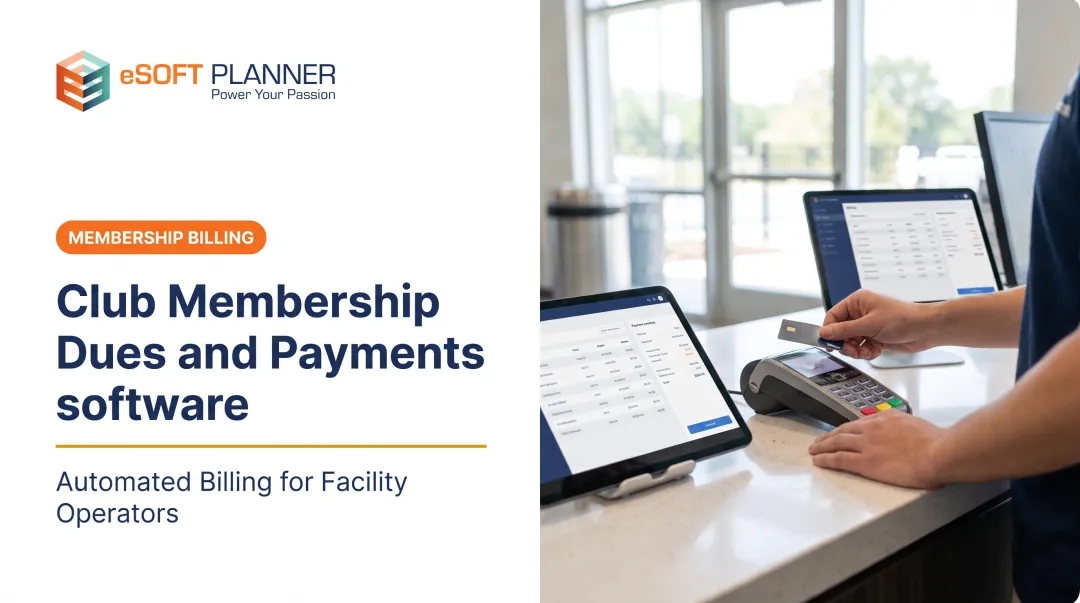
- Automated recurring billing: Tuition, team fees, and registration charges run on schedule. Platforms like eSoft Planner notify clients when a membership payment fails and send automated payment reminders, so staff aren't chasing late accounts
- Waitlist automation: The next family gets notified when a spot opens, instead of relying on someone to remember a phone call. iClassPro's Autopilot feature, for example, can detect an opening and send a time-sensitive enrollment offer via email, SMS, or push notification
Check-In, Waivers, and Communication
- Self-service check-in: QR codes, membership cards, or barcode scans reduce front desk congestion during rush hours
- Digital waivers: Forms are signed electronically before registration or booking, then stored in the client record instead of a paper file
- Automated communications: Class cancellations, schedule changes, and payment reminders go out via text or email automatically, without staff contacting each family one by one
Together, these tasks cover the bulk of what eats up a front desk staffer's day. Automating even three or four of them changes the entire feel of your peak hours.

How Automation Transforms the Front Desk Experience
Once repetitive tasks like data entry and invoice generation are off a staffer's plate, they can focus on what actually needs a human: greeting families, handling a confused parent, or managing an escalation.
A single dashboard matters more than people realize. Instead of checking one system for attendance, another for billing, and a third for the class calendar, a consolidated view shows everything at once. eSoft Planner's platform centralizes schedules, check-ins, classes, memberships, and payments across its modules, so staff aren't toggling between five tabs during a rush.
One documented example: Wendi Rank, managing registration and membership tracking for a volunteer-run sports program, reported that manual work previously consumed up to 20 hours a week. After automating registration and tracking, that work happened automatically as members enrolled.
That's not a gymnastics-specific figure, but it illustrates the scale of time recovery possible when registration and tracking stop being manual.
Real-time capacity visibility protects more than revenue. For gymnastics facilities specifically, knowing exactly how many students are booked into a rotation matters for coach-to-student ratio compliance, not just avoiding overbooking.
eSoft Planner's scheduling tools validate instructor and space availability and enforce class capacity limits. That baseline safeguard helps every gym prevent double bookings during peak check-in windows.

Those same operational controls stay affordable when you only pay for what you use. eSoft Planner's modular, a la carte structure lets a facility automate the front-desk work that matters most:
- Online booking
- Automated billing
- Parent and staff communications
You skip features you will not use, and staff keep the dashboard simple during rush periods.
What to Look for When Choosing Gymnastics Front Desk Software
Not all scheduling software understands gymnastics. Here's what actually matters during evaluation:
- Gymnastics-aware scheduling logic — A generic shared calendar won't catch conflicts across bars, beam, floor, and trampoline rotations the way purpose-built logic can. Ask vendors directly how their system handles apparatus and rotation scheduling.
- Flat, predictable pricing — Look for subscriptions that don't climb as your roster or staff grows. eSoft Planner's pricing starts at $39 per month and doesn't increase based on client or staff count, though optional modules affect the final cost.
- U.S.-based, consultative support — A ticket queue isn't the same as a real person who understands sports facility operations. eSoft Planner assigns every new client a personal customer success manager for onboarding and ongoing guidance.
- A tested parent-facing mobile experience — Most parent complaints start with booking and check-in. Before signing anything, walk through both flows on a phone during a busy hour.

Common Mistakes Gyms Make When Automating the Front Desk
Even good software choices go sideways with poor implementation. Watch for these:
- Choosing on price alone. A low monthly rate can hide setup fees or paid add-ons for features you assumed were included. Ask upfront what's bundled versus optional.
- Underestimating data migration time. Moving member and billing records almost always takes longer than planned. Ask what transfers automatically—billing history often does not—and budget real onboarding time; eSoft Planner's team can move customers, memberships, and schedules in as little as a week when scope is clear.
- Skipping a real trial with live data. Insist on seeing your class structure and staff workflows in the system before you commit. Some vendors offer trials; eSoft Planner uses a personalized live demo—either path works if it mirrors how your front desk actually runs.
Frequently Asked Questions
What is gymnastics front desk automation?
It's software that handles check-ins, billing, scheduling, and family communication without manual effort at every step. This shifts front desk work from repetitive data entry to actual customer service.
What front desk tasks can be automated in a gymnastics facility?
Common tasks include online booking, self-service check-ins, recurring billing, waitlist notifications, digital waivers, and automated reminders for cancellations or schedule changes. Most gymnastics management platforms bundle several of these together.
How much time can automation save a gymnastics front desk?
Results vary by facility. One sports program reported manual registration work dropping from up to 20 hours a week to near-zero after automation. Treat any specific number as a facility-level result, not a guarantee.
Is gymnastics management software expensive for small gyms?
Not necessarily. Modular a la carte pricing like eSoft Planner's starts at $39 per month, so small facilities pay only for the features they use.
Can I switch to automated software mid-season without losing data?
Most modern platforms offer guided migration support for member and schedule records. Ask specifically about billing history transfer, since not every vendor guarantees that every past invoice or balance carries over cleanly.
Does automation replace the need for front desk staff entirely?
No. Automation removes repetitive tasks like data entry and invoice generation, but staff remain essential for greeting families, handling escalations, and managing situations software simply can't.